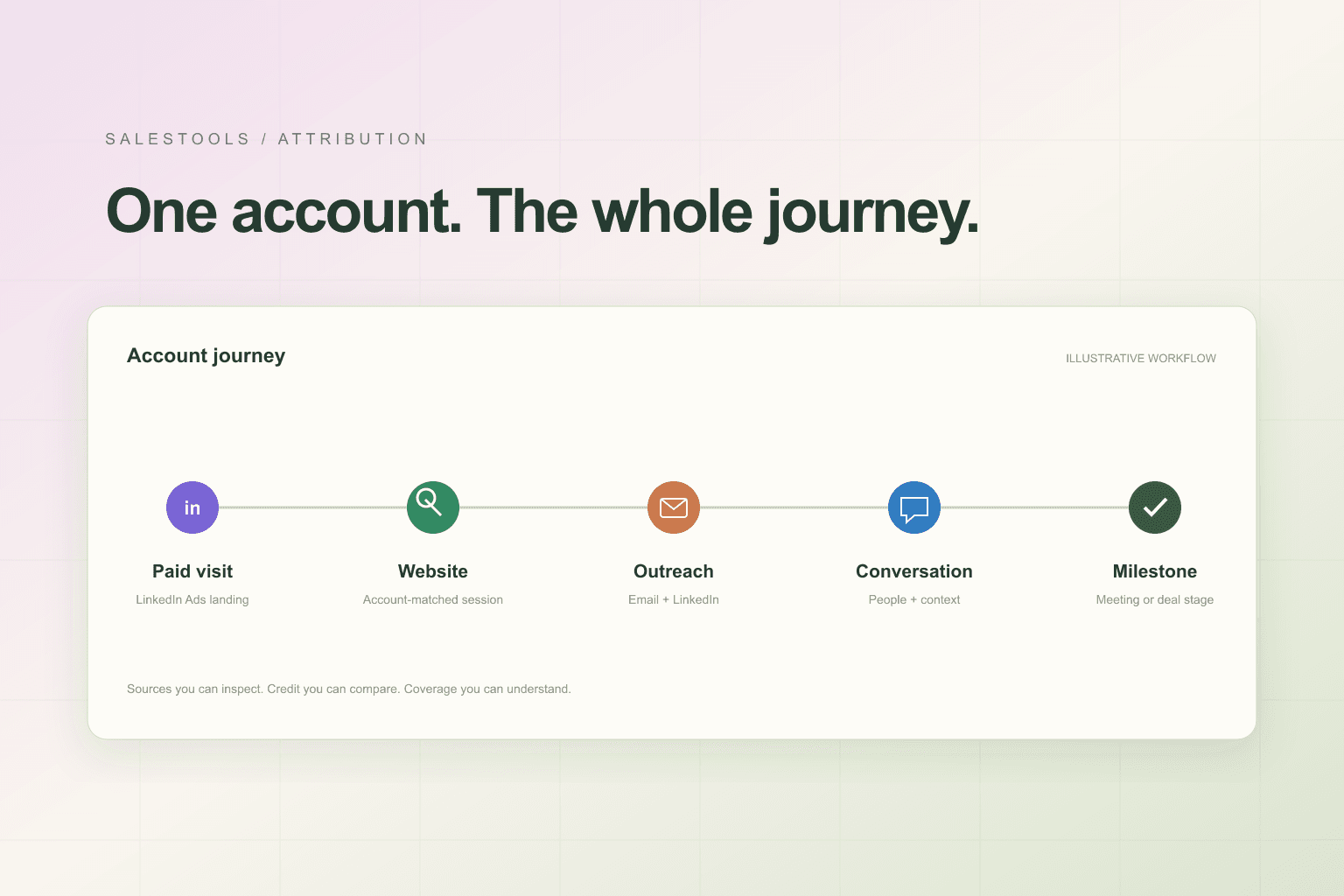
A buyer visits your site. A colleague receives an email. Someone else accepts a LinkedIn connection. A rep makes a call, and a meeting eventually lands on the calendar.
Which channel should get the credit?
Before answering that question, your team needs a more useful view of what happened. Those activities may involve different people, different systems, and different moments in the same company’s buying process. A last-click report cannot explain that story on its own.
Salestools Attribution brings recorded marketing and sales activity into an account-based journey. You can inspect the people and sources behind the timeline, choose a milestone, and compare how attribution models distribute credit across eligible earlier touches.
Start with the company, then explore the people
An account journey connects activity matched to a company rather than requiring every event to belong to one buyer. Where available, contact lanes show the people involved, while company and anonymous lanes preserve the distinction between account-level activity and identified individuals.
That distinction matters. An IP-based company match may help associate a website session with a business. It does not establish which employee visited. A known contact’s conversation and a company-matched visit should not silently become the same person’s activity.
Use the account view to understand the wider sequence, then explore the people behind it. The people views help distinguish who was reached, who opened an email, and who took a stronger engagement action. Recorded teammate activity and ownership provide additional context for a handoff.
Paid and outbound belong in the same conversation
Marketing and sales often evaluate different slices of the same account. A paid campaign report shows traffic, while an outbound report shows messages and replies. Neither view explains the whole recorded path alone.
Salestools’ account-attribution taxonomy brings paid and organic website traffic together with outbound email, LinkedIn outreach, calls, meetings, chat, introductions, and CRM activity. Actual coverage depends on the records and imports available to your team.
A tracked landing session from LinkedIn Ads can be classified as Paid Social using its paid landing context. That session can then sit alongside an organic visit, an email, or an accepted LinkedIn connection on an account’s timeline.
This does not mean every ad exposure is visible. The current account-attribution implementation does not import ad impressions or ad clicks without a tracked website visit. A LinkedIn Ads landing session is evidence of a recorded visit—not a complete list of everyone who saw the campaign.
Choose the outcome you want to understand
Different milestones ask different questions. What happened before the first reply? Which touches preceded a meeting? What does the path to an opportunity look like? What was recorded before a won deal?
Attribution supports replies, meetings, opportunities, and won stages. The event establishing a selected stage is distinct from the earlier touchpoints evaluated for credit toward that stage. Buying signals can provide timeline context without being credited as marketing touches.
This helps keep a useful boundary between a signal, an interaction, and an outcome. Seeing an event near a milestone does not automatically make it responsible for that milestone.
Compare models instead of treating one view as truth
The attribution engine supports first-touch, last-touch, linear, U-shaped, W-shaped, time-decay, and data-driven models. Each provides a different way to distribute credit across an eligible journey.
Start by comparing simple models. First-touch emphasizes the beginning of the recorded path. Last-touch emphasizes its final eligible interaction. Linear distributes credit across eligible sessions. A difference between those views is a reason to inspect the journey—not proof that one department is right and another is wrong.
Data-driven attribution also has readiness requirements. When the required journey data is not available, the product reports a linear fallback rather than presenting it as a ready data-driven result. Other model notes explain relevant limitations in the calculation.
Attribution describes how recorded activity is assigned credit under a model. It is not an experiment proving what would have happened without a channel.
Inspect the evidence behind the timeline
The account journey is designed for investigation, not just presentation. Review channels, sources, campaigns, timestamps, stage instances, and contact lanes. Open the available session details to understand what a touch represents.
A sent email means your team reached out. An email open is weaker evidence: privacy proxies and scanners can generate opens without a meaningful buyer interaction. The interface therefore does not treat an open alone as enough to establish engagement.
Email link clicks are not currently tracked for linking a subsequent website visit to the recipient. Some email reply history is only partly imported. Those are important boundaries when explaining a journey to someone else.
Five views for different questions
The Attribution workspace includes Accounts, People, Performance, Journey analytics, and Data coverage.
Accounts helps you find companies and open their journeys. People brings buying-group activity into focus. Performance compares channel and campaign credit for a selected stage. Journey analytics examines the structure and timing of the recorded paths. Data coverage shows imported sources and freshness so you can judge how much of the picture is available.
CRM value and revenue-related reporting depend on the deal records your systems provide. A missing value should not become an invented return on investment. Likewise, an unmatched session or unavailable ad source remains a coverage gap rather than something a model can fill with certainty.
Use the journey to improve the next decision
Start with an account your sales and marketing teams both recognize. Choose a meaningful stage, inspect the earlier timeline, and compare two attribution models. Check the sources and people involved before drawing conclusions from the percentages.
Then review Data coverage. Ask whether missing imports, identity limitations, or incomplete CRM values could change the interpretation. The result should be a more useful discussion about where to investigate, what to improve, and which assumptions still need testing.
Salestools Attribution connects the recorded account story so marketing and sales can work from the same evidence—with the boundaries of that evidence visible.
Explore the Attribution product page or book a demo to review the workflow with your team’s sources and account journeys.