


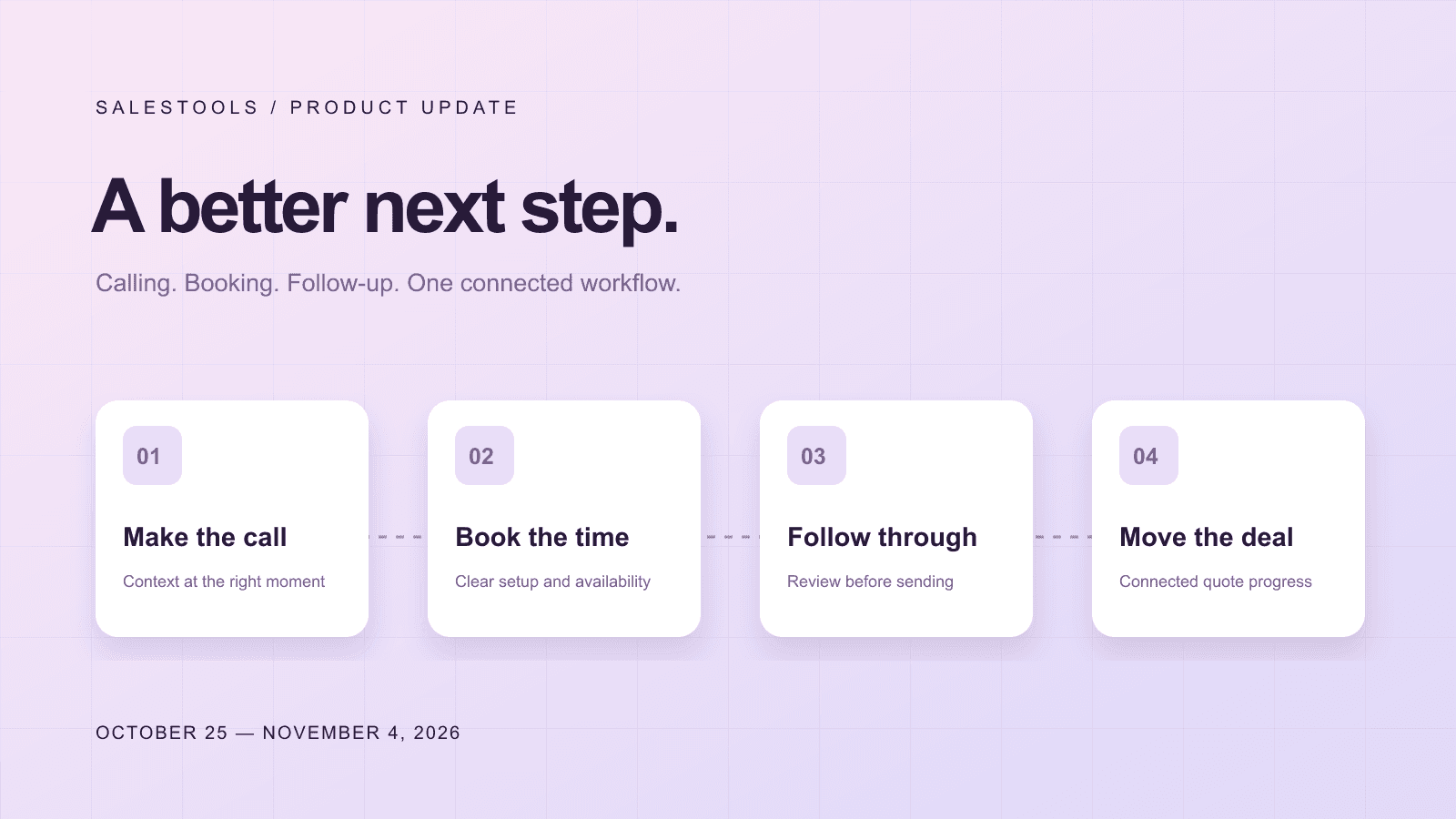
A productive sales day is not just a list of completed calls. It is a sequence of useful next steps: understand the account, reach the right person, capture what matters, and make it easy to continue the conversation.
Our latest product updates focus on those transitions. This roundup covers October 25 through November 4, 2026, bringing together changes to calling, booking, conversations, quotes, enrichment, and the workspace around them.
The theme is straightforward: give reps more context where they work, make important decisions explicit, and explain what happened when something needs attention. Availability still depends on your workspace settings, permissions, connected services, and enabled features.
A calling workspace built around the conversation
The power dialer now has a full-screen workspace with preparation alongside calling activity and a focused view when someone answers. Reps can open a lead's call brief from the queue, rather than leaving the workflow to prepare for the next conversation.
During a call, phone and email details can be corrected in the workspace. Call scripts put one idea on a line and emphasize phrases to stress, making them easier to glance at while listening. The connected-call experience also brings the buyer brief into view so the rep has useful context at the moment it matters.
The distinction between a live conversation and an unanswered line is clearer, too. Updated call cues tell the rep when to speak and when the person cannot hear them. Voicemail remains a deliberate rep action in the instant-bridge flow, rather than an assumption made just because a line answered.
Smarter redial controls, with the reason visible
Calling the same person repeatedly is not a substitute for working the queue well. Smart redial controls now explain when a prospect was called recently and when another attempt is due.
Setup groups recently called people in an Already called today section. Where available, the next attempt and the applicable rule are shown. Reps can distinguish a queue with nobody left to call from a queue whose remaining people are temporarily held back.
An explicit Call again anyway option is off by default. When used, recently called people come after those not yet called. It is a workflow override, not permission to ignore do-not-contact restrictions or other calling requirements.
Caller-ID controls are clearer as well. Local presence is the default mode when available, and the interface explains a one-number fallback. Per-number daily limits and line availability get more useful explanations instead of leaving the rep to interpret a technical limit.
Booking setup that shows what is missing
A booking URL is only useful if a visitor can actually choose a meeting. The new setup wizard walks through the link, connected calendar, and meeting type, then offers a ready-state view with the link and upcoming availability.
Booking health separates several different problems: no page, a calendar that needs connecting, no meeting types, or no open times in the next seven days. These states point the rep toward the right action instead of treating every unavailable page the same way.
Calendar and Booking pages also have separate screens. Public booking pages can show the host photo, while team administrators can inspect member setup status where their permissions allow it.
Before sharing your link, use the preview and check that your meeting type and calendar offer suitable times. Connecting a calendar should not be mistaken for completing every booking setting.
Finish the follow-up while the call is fresh
Call follow-up email can now be read, edited, and saved in the conversation workflow, with the follow-up card available during dialer wrap-up. Saved templates help reps start from a useful structure without losing the opportunity to tailor the message.
These changes keep the next step close to the conversation that created it. A rep can review the wording while the context is fresh instead of relying on a separate note to reconstruct it later.
The workflow also treats uncertain sends more carefully. A send that cannot be confirmed should not invite an automatic duplicate, and a do-not-contact outcome should not produce an ordinary follow-up email. A submitted action and a confirmed delivery are different states.
The Inbox has practical improvements alongside this work: received email attachments can appear in the conversation, and email history shows the actual sender for each message.
Quotes stay connected to the deal
For workspaces with Quotes enabled, a dedicated Quotes view brings drafts, signature requests, payment states, and completed or closed quotes into one place. Deal cards can show a related quote status so reps can see what is outstanding without opening each document.
Pipeline rules connect quote actions to deal progress. Depending on the configuration, sending or signing a quote can update a stage, amount, or connected CRM record. Administrators control those rules; a signature does not universally mean that a deal has been paid.
The call-to-quote path also lets a rep start a quote draft from a conversation. Review the proposed commercial details before sending, just as you would review a follow-up message.
Know the enrichment price before spending
Paid enrichment now asks for confirmation against a price quote for the selected people and fields. Work email, phone, or both should be a deliberate choice—not an accidental side effect of clicking Enrich.
The accompanying changes address overlapping imports of the same person so concurrent actions do not independently charge for the same import. If an enrichment job stops partway, the interface explains credits already charged rather than implying that nothing happened.
A clearer home for daily work
The rebuilt sidebar organizes work around jobs such as Engage, Prospect, Win deals, Agent tools, and Insights. A collapsed icon rail opens section flyouts, with keyboard access and scrolling for longer menus.
Other small improvements help work stay put: My Day preserves edits through its periodic refresh, longer step prompts keep the cursor where you type, and failed Stop actions explain why the agent could not stop.
Open your workspace to explore the changes available to your team. For the release summary, visit the changelog. If you want to see how calling, booking, and follow-up fit your sales process, talk with our team.